

TL;DR
Prebuilt AI workstations now often match or beat DIY costs because of component shortages and bulk buying. Buying offers quick deployment and validated thermals, while building provides control and customization. The best choice depends on your priorities—speed, cost, or control.
Imagine turning on your AI workstation and immediately diving into your project. No fuss, no troubleshooting — just instant power. That’s the promise of a prebuilt system. But if you love tweaking every detail or want to squeeze out maximum performance, building your own is still tempting. The game has changed, though. With skyrocketing component prices and supply snags, the old cheap DIY myth no longer holds water. Instead, you need to weigh speed against control, cost against convenience, and long-term flexibility against short-term savings. This article walks you through the real-world pros and cons of build versus buy, so you can make the smartest move in 2026.
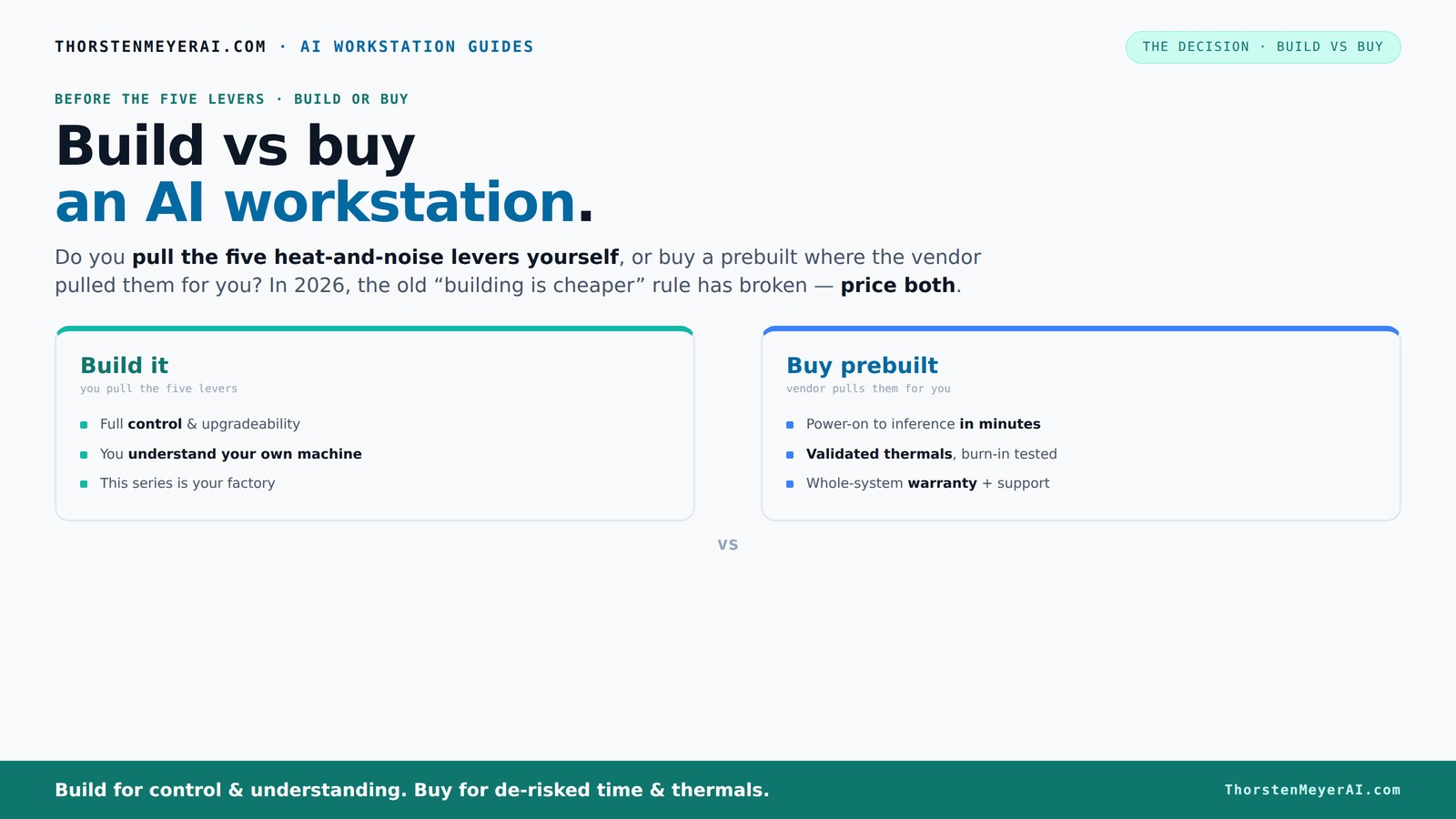
Build vs buy
an AI workstation.
The real question behind this whole series: do you pull the five heat-and-noise levers yourself, or buy a prebuilt where the vendor pulled them for you? And in 2026, the old “building is cheaper” rule has broken. Match your situation in Part 3.
Key Takeaways
- In 2026, prebuilt AI workstations often match or beat DIY prices due to component shortages and bulk buying.
- Buying saves time — systems arrive ready with validated thermals, software, and warranties, reducing troubleshooting.
- DIY offers control and customization, ideal for specific workloads or future expansion, but at the cost of time and effort.
- Support and warranty are significant advantages of prebuilt systems, especially for critical AI projects.
- Upgrade paths are generally better in custom builds, but many prebuilts are now designed with future upgrades in mind.

HELLOLAND Ocean of Stars AI Gaming PC Desktop - RTX 5070 12GB - AMD Ryzen 7 9700X- 16GB DDR5 RAM- 1TB PCIe +2TB SATA SSD- 850W PSU- WiFi + BT- Windows 11 -RGB Lights with Software Control - White
- Powerful Ryzen 7 Processor: 8 cores for gaming and creation
- High-Performance RTX 5070 GPU: 12GB VRAM for 4K gaming and AI tasks
- 16GB DDR5 RAM: Optimized for multitasking and content creation
As an affiliate, we earn on qualifying purchases.
As an affiliate, we earn on qualifying purchases.
Why the 'Build Always Cheaper' myth is dead in 2026
For years, DIY was the clear winner on price. But recent shortages and bulk buying have flipped the script. Components like DDR5 RAM, high-end GPUs, and SSDs now cost 20-30% more than just a year ago. A build that used to be under $1,000 now easily surpasses $1,250 — and that’s before adding software or warranty costs.
Major prebuilt vendors locked in bulk discounts early, allowing them to offer systems at prices that often beat piecemeal assembly. Learn more about build vs buy a prebuilt AI workstation. So, in 2026, the math favors prebuilt more often than you'd think — especially when you factor in your time, troubleshooting headaches, and the risk of incompatible parts. This shift means that the traditional perception of DIY as always cheaper no longer holds true, especially for high-performance AI workstations where component costs are volatile. For more insights, visit build vs buy a prebuilt AI workstation. It’s important to understand that the true cost isn’t just dollar figures—it includes time spent troubleshooting, compatibility risks, and the potential for delays, which can be costly in professional environments. This realization pushes many toward prebuilt solutions that guarantee reliability and save time, even if the initial price isn’t drastically lower.
The five levers: how a high-power AI machine stays cool and quiet
Building a quiet, reliable AI workstation isn’t just about the parts. It’s about tuning five key levers: undervolting your GPU, matching cooler specs, optimizing case airflow, tuning the fans, and placing the system in the right environment. For detailed tips, see build vs buy a prebuilt AI workstation. If you buy from a vendor like Lambda or Puget, they pull these levers for you. Their systems are tested to run cool under heavy load, often 30% quieter and 20% cooler than DIY setups.
Why does this matter? Thermal management directly impacts system stability, longevity, and performance. Overheating can lead to thermal throttling, reducing your GPU or CPU’s effective performance, which in turn can slow down your AI training or inference tasks. Proper thermal management is crucial—check out build vs buy a prebuilt AI workstation for more. Excessive noise can also be distracting, especially in quieter office or studio environments. Prebuilt vendors invest heavily in fine-tuning these parameters, ensuring that your system maintains optimal thermal conditions with minimal noise, which is critical for sustained AI workloads. For DIY builders, this is a trade-off—getting the cooling just right requires extensive testing, knowledge, and time. Poor thermal management not only risks hardware damage but also impacts your productivity and data integrity. So, understanding and controlling these levers is vital, whether you’re building or buying, because the long-term costs of thermal mismanagement—hardware failure, downtime, or performance loss—are significant.
Prebuilt vs DIY: the real costs and time-to-value
| Factor | Prebuilt AI Workstation |
|---|---|
| Speed to deployment | Ready to run in minutes, with OS and AI stack preinstalled. |
| Cost | Often comparable or cheaper due to bulk discounts and component deals. |
| Customization | Limited but adequate for most; some vendors offer options. |
| Support & warranty | Single support line, comprehensive warranty, quick fixes. |
| Upgradeability | Often straightforward, but some OEMs use proprietary parts. |
Building your own takes more time — sourcing parts, assembling, troubleshooting, installing drivers. But it offers control over every component and cooling solution. This control can be crucial if your project requires highly specific hardware configurations or custom cooling solutions that prebuilt systems might not support easily. However, the time investment can be substantial—weeks or even months—especially if you’re new to building. Additionally, troubleshooting compatibility issues, driver conflicts, or thermal problems can add unexpected delays and costs. For many, the value of prebuilt systems lies in their immediate availability, tested stability, and support, enabling faster project start times and reducing the risk of costly errors or delays. Ultimately, the choice hinges on whether your project’s demands justify the time and effort of building or whether immediate readiness and support are more critical. Learn more at wanderlusttrends.com.
How much can you truly customize a prebuilt system?
Prebuilt systems aren’t as locked down as they used to be. Many vendors now offer options for GPU models, RAM upgrades, and cooling choices. But some OEMs still use proprietary connectors or layouts that limit future upgrades. For example, a popular prebuilt might have a non-standard PCIe riser, making GPU swaps tricky later.
Understanding the limits of prebuilt customization is essential because it directly impacts your ability to adapt the system as your AI needs evolve. If you anticipate future upgrades—like adding more GPUs, faster RAM, or custom cooling—select vendors that explicitly support these upgrades. Failing to do so can lead to costly replacements or complicated modifications down the line. For instance, some prebuilt systems may use proprietary power connectors or motherboard layouts that prevent easy upgrades, forcing you to replace the entire system sooner than planned. Conversely, vendors like Lambda and Puget design their systems for easier future upgrades, often using standard components and open layouts. This flexibility can significantly extend the lifespan and utility of your investment, making it more future-proof. Therefore, assessing upgrade policies and hardware compatibility before purchase is crucial for maximizing your system’s longevity and performance.
Support, warranty, and reliability: why they matter
Prebuilt vendors stand behind their work with warranties up to 5 years, and they test systems thoroughly before shipping. This means fewer surprises — no compatibility nightmares or thermal throttling. If your AI project hits a snag, expert support is just a phone call away.
This level of support ensures that issues are resolved quickly, minimizing downtime and preventing costly hardware failures during critical workloads. For professionals, reliable support translates to peace of mind—knowing that expert help is available if needed, reducing the risk of prolonged outages that could derail project timelines. DIY systems, by contrast, depend on individual component warranties and your ability to troubleshoot. While this can be cost-effective, it often involves time-consuming debugging, research, and trial-and-error fixes. In high-stakes AI environments where uptime is vital, the added security of a comprehensive support plan and robust warranty from a reputable vendor can be the difference between meeting deadlines or facing costly delays. This support infrastructure is a key factor in professional decision-making, especially when the system is core to business operations or research breakthroughs.
Future-proofing: upgrade paths for prebuilt vs custom
Most prebuilts today are built with standard, widely used parts—so upgrading RAM, adding storage, or swapping GPUs later is usually possible. But beware: some OEM systems use proprietary connectors or layouts that complicate upgrades. Always verify upgrade options before buying.
Understanding the upgrade potential of your system ensures it remains relevant as your AI needs evolve. Custom builds inherently offer more flexibility because you choose the motherboard, case, and power supply, enabling easier future expansions. This can be crucial if you anticipate significant growth in data or computational complexity. However, many prebuilt vendors now design their systems with upgradeability in mind, using standard components and open layouts. This approach allows you to extend the system’s lifespan, avoid premature replacements, and adapt to new AI models or hardware innovations. The tradeoff is that some proprietary design choices can limit this flexibility, so detailed research on upgrade policies and component compatibility is essential. Choosing a system with clear upgrade paths is a strategic decision that can save money and effort in the long run, especially as AI workloads continue to grow and evolve.
The latest in AI PC tech: why features like NPUs matter
AI-specific features such as NPUs (Neural Processing Units) are now hitting mainstream prebuilt workstations. Dell reports that AI PCs with NPUs offload tasks like background filtering or deepfake detection, reducing CPU load and power consumption. These features can boost performance and efficiency for AI workloads.
Why do these features matter? Incorporating NPUs directly into the system architecture means specialized hardware accelerates AI tasks, freeing up CPU and GPU resources for other processes. This results in faster training times, more efficient inference, and lower energy costs—crucial factors in scaling AI projects. For instance, a prebuilt with an integrated NPU can handle real-time video analysis smoothly, providing immediate insights without overtaxing other system components. While DIY builders can add external accelerators later, prebuilt systems with NPUs have the advantage of seamless integration and optimized software support from the start. This integration reduces complexity and ensures that AI workloads are handled efficiently, which is vital as models become more complex and data requirements grow. Ultimately, these advanced hardware features can define the difference between a system that merely runs AI and one that accelerates your innovation pipeline.
Frequently Asked Questions
Is a prebuilt AI workstation worth it?
Yes, especially if you need a system that’s ready to run immediately, offers reliable thermals, and comes with support. It’s a strong choice for professionals who want to avoid troubleshooting and focus on their work.
Is building cheaper than buying prebuilt?
In 2026, that’s less true than before. Component prices have surged, and bulk discounts make prebuilts often competitive or even cheaper. Always compare your specific configuration before deciding.
What is the performance difference between build and buy?
Both can deliver top-tier performance. Prebuilts often come with validated cooling and power setups, ensuring stability during heavy AI workloads. DIY can match or exceed this if you’re willing to invest time tuning everything just right.
How much can I customize a prebuilt workstation?
Many vendors now offer options for GPU, RAM, and cooling upgrades. However, some may use proprietary parts that limit future upgrades. Check the vendor’s upgrade policies before buying.
Are prebuilt workstations reliable for AI workloads?
Yes, reputable vendors thoroughly test their systems, ensuring they run cool and quiet under load. This reliability reduces downtime and troubleshooting, which is crucial for professional AI tasks.
Conclusion
Deciding whether to build or buy your AI workstation isn’t just about dollars. It’s about your timeline, your control needs, and risk tolerance. In 2026, the best choice depends on your specific project demands—speed and simplicity, or control and customization.
Remember, the market has shifted. Sometimes, paying a bit more for a prebuilt saves you weeks of effort and headaches. If you’re ready to start your AI journey now, a prebuilt system might just be the smartest move — but only if it aligns with your goals.